In short: a student information system (SIS) keeps the school’s records about students. A learning management system (LMS) delivers lessons and coursework online. A school ERP (or school management system) runs the whole school day to day: students, attendance, fees, exams and parents. Most schools that teach in person need an SIS or school ERP first. An LMS matters when much of the teaching happens online.
If you’ve started looking for school software, you’ve met a wall of three-letter names: SIS, LMS, ERP, and sometimes MIS and SMS too. Suppliers use them loosely, and the same product can call itself all three on different pages.
This guide explains each one in plain English, shows where they overlap, and helps you decide which your school actually needs.
The short definitions
Student information system (SIS)
A student information system is the official record of every student: who they are, which class they’re in, their attendance, their grades and their history at the school. The name is most common in the US and in universities.
Think of it as the school’s filing cabinet, made digital and shared.
Learning management system (LMS)
A learning management system delivers teaching: online courses, lessons, videos, quizzes and assignments. Teachers build content, students work through it, and the LMS tracks their progress through the course. Well-known examples include Google Classroom, Moodle and Canvas.
Think of it as the online classroom.
School ERP or school management system
ERP stands for enterprise resource planning: software that runs an organisation’s everyday operations. A school ERP applies the idea to schools: students, staff, attendance, fees, exams, timetables, communication and reports in one place. “School management system” means the same thing, and is the more common name in many countries. Some school ERPs also include payroll, inventory or transport.
Think of it as the school office, with the filing cabinet inside it.
MIS
You’ll also see MIS, management information system, especially in the UK. It means roughly the same as an SIS or school management system.
Side by side
| SIS | LMS | School ERP / school management system | |
|---|---|---|---|
| Main job | Keep student records | Deliver teaching online | Run the whole school |
| Main users | Office, registrar, teachers | Teachers and students | Owners, office, accounts, teachers, parents |
| Student profiles | ✔ | Basic | ✔ |
| Attendance | ✔ | Sometimes | ✔ |
| Grades and report cards | ✔ | Course grades | ✔ |
| Fees and invoices | Sometimes | ✘ | ✔ |
| Timetables | Often | ✘ | ✔ |
| Online courses and lessons | ✘ | ✔ | Rarely |
| Quizzes and online tests | Rarely | ✔ | Sometimes |
| Homework / assignments | Sometimes | ✔ | Often |
| Parent communication | Sometimes | Limited | ✔ |
| Parent app | Sometimes | Rarely | Often |
| Staff, payroll, inventory | ✘ | ✘ | Sometimes |
The lines are blurry. Many SIS products now include fees and parent apps, and some LMS products track attendance. Treat the names as a starting point, then check the features.
Where they overlap
Three jobs cause most of the confusion:
- Assignments and homework. An LMS handles assignments inside a course. A school management system often has homework too: set by the teacher, handed in by students or parents, and scored.
- Tests. An LMS has quizzes as part of a course. Some school management systems now run online exams with timers and automatic marking.
- Grades. An LMS keeps grades for its courses. The SIS or school management system keeps the official marks and produces the report card.
When both systems do the same job, decide which one is the official record, and use the other only for what it does best.
Which one does your school need?
Answer these four questions.
1. Where does most of the teaching happen?
- In classrooms, in person: start with an SIS or school management system.
- Mostly online, or blended: you’ll need an LMS as well.
2. What takes most of the office’s time?
- Fees, receipts, attendance, parent calls: that’s school management system work. An LMS won’t help.
- Preparing and sharing course material: that’s LMS work.
3. Who needs to see the information?
- Parents, every day: you need a system with a real parent app and notifications.
- Mostly teachers and students: an LMS may be enough for the teaching side.
4. What do you already have?
- Many schools already use a free LMS such as Google Classroom for lessons. They then add a school management system for records, fees, attendance and parents. The two work side by side.
Typical answers by school type
| School | Usually needs |
|---|---|
| Preschool | School management system (attendance, parents, fees). No LMS. |
| Private or international school, in person | School management system. An LMS if teachers set a lot of online coursework. |
| Tuition centre | School management system for attendance, fees and parents; an LMS if lessons are online. |
| Online school | LMS first, plus records and fees. |
| University | SIS plus LMS, often separate products. |
Do you need one system or two?
One system means one sign-in, one set of data and one supplier. It’s simpler, but the parts it does less well may disappoint.
Two systems let you pick the best of each. The cost is two sign-ins, two places for teachers to look, and the risk of data getting out of step. If you go this way, decide which one holds the official student list and marks.
For most schools that teach in person, the practical answer is one school management system for everything the office and parents need, plus a free LMS only if teachers want it for online coursework.
Where Classveew fits
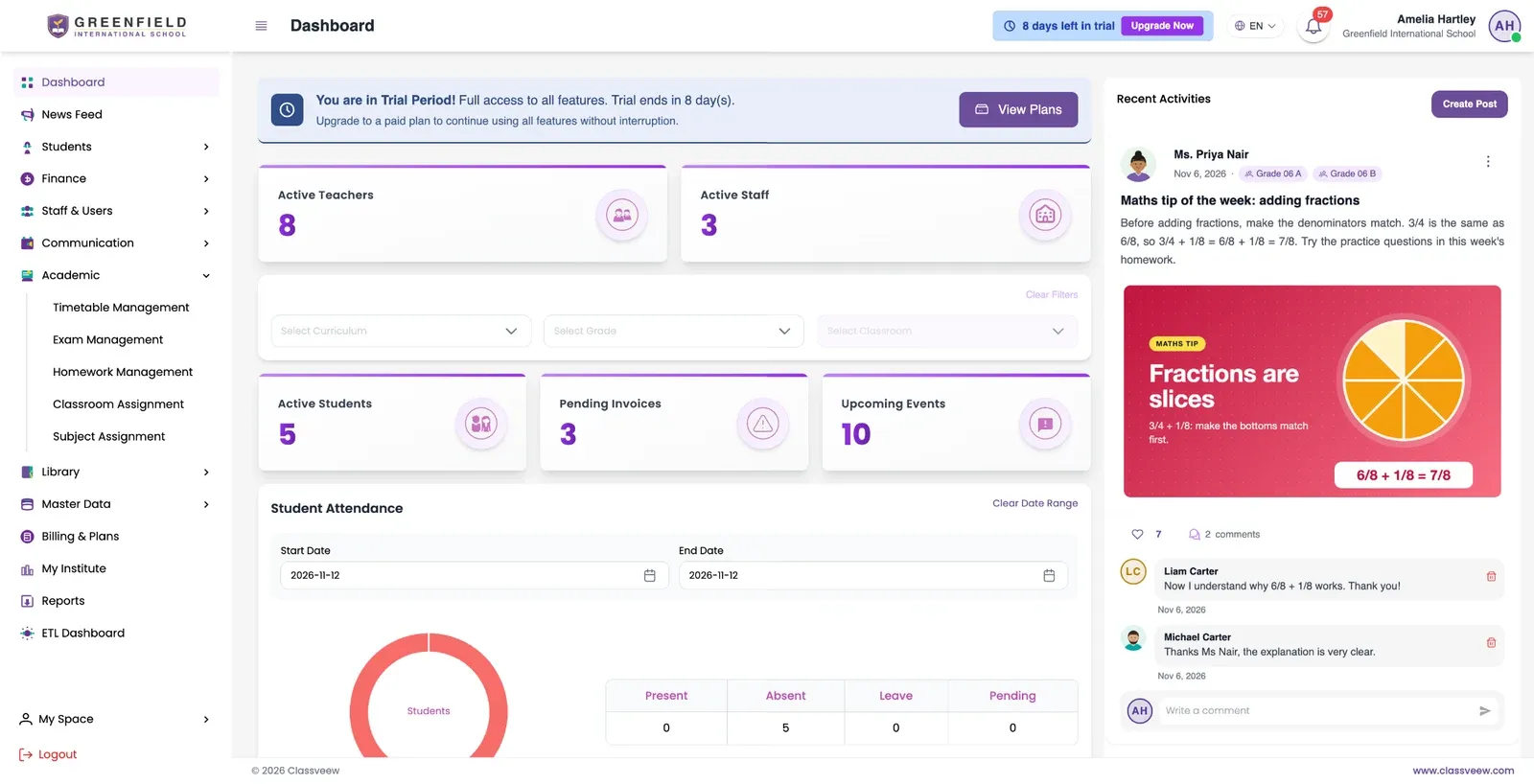
Classveew is a school management system: you can also call it a school ERP or a student information system. Here’s what it covers, and what it doesn’t.
What it covers (SIS and ERP)
- Student records: profiles with guardians, medical and emergency details, statuses and each student’s class history.
- Attendance for students and staff, with automatic absence and parent alerts.
- Fees and billing: templates, invoices, part payments, reminders, card payments in the app and cashier sessions.
- Exams and report cards, with report card PDFs for parents.
- Timetables, re-enrollment at the end of the year, a library, awards and staff leave.
- Parent communication: messages, class groups, the news feed and events with consent.
- Reports exported to CSV, and roles with permissions.
What it covers that overlaps with an LMS
- Online exams in the student portal, with a timer, automatic marking for multiple choice, and short answer, long answer, math and drawing questions.
- Homework with tasks and attachments, handed in by students on the web or by parents from the app, with scores or feedback.
- Syllabus sharing, so parents can see what each class will cover.
- Online lessons, with a meeting link on any timetable slot.
What it doesn’t do: Classveew is not an online course platform. It doesn’t host self-paced courses or video lessons, and it doesn’t include payroll, inventory or transport.
Learn more on Classveew as a school ERP and Classveew as a student information system, or read what a school management system is.