In short: there is no single “best” system for every school in Sri Lanka. The best one for your school bills in rupees and takes card payments from parents, fits the local syllabus and a January to December year (and Cambridge or Edexcel if you run them), has a real parent app, and comes with a local team to help you start. Use the scorecard below to compare at least three, then try your favourite free on your own data.
Search “school management system Sri Lanka” and the first page is full of local software companies, each saying they are the best. Most of them have websites that look the same and feature lists that read the same. So how do you choose?
This guide doesn’t rank suppliers. Rankings go out of date, and a system that is perfect for a 3,000-student international school can be wrong for a 200-student preschool. Instead, it gives you what Sri Lankan schools specifically need, the kinds of systems on offer, a scorecard you can use with any supplier, and the red flags that should end a conversation.
What makes Sri Lankan schools different
A system built for schools in Europe or the US can miss things that matter every day here.
Fees in rupees, paid in many ways. Parents pay at the counter in cash, by bank transfer and, more and more, by card. Many families pay in parts. The system has to handle every one of these, give receipts and keep the balance right.
The school year and the local syllabus. Government and many private schools follow a January to December year with three terms, kindergarten followed by Grades 1 to 13. Setting this up by hand in a system designed for a September year is slow and error-prone.
More than one curriculum. International schools often run the local syllabus alongside Cambridge or Edexcel, sometimes with different term dates. The system has to keep each curriculum’s grades, terms and subjects apart.
Parents expect WhatsApp-speed communication. Most Sri Lankan schools already talk to parents through WhatsApp groups. A new system has to be at least as easy, or parents won’t use it. See WhatsApp groups and Excel vs a school system.
Phones first. Teachers and parents use their phones far more than computers. A real app on Android and iPhone matters more than a polished desktop screen.
Language. Office work is often in English, while parents may prefer Sinhala or Tamil. Know which languages each system supports before you buy.
Data protection. With Sri Lanka’s Personal Data Protection Act (No. 9 of 2022), schools have good reason to ask where student data is stored and how it is protected.
The kinds of systems on offer
Most options in Sri Lanka fall into four groups. Each can be the right choice for some schools.
| Type | What it is | Strengths | Weaknesses |
|---|---|---|---|
| Cloud system with apps | Used in a browser and on phones; the supplier runs the servers | Nothing to install, updates included, parents and teachers on their phones | Needs internet; monthly or yearly fee |
| Installed desktop software | Runs on the school’s own computers or server | One-time price, works offline | Usually no parent app; backups, upgrades and repairs are your problem |
| Custom-built system | Built by a developer just for your school | Fits your exact process | Expensive, slow to change, risky if the developer leaves |
| Free or open-source | No licence fee | Low starting cost | Hosting, setup, local changes and support cost money and time |
For most private schools, international schools and preschools today, a cloud system with real apps is the practical choice: it’s the only type where parents and teachers get notifications on their phones without extra work from the school.
The 10 things the best system must do
Use these as your minimum. If a system fails one of them, it needs a very good reason.
- Bill in rupees and accept card payments from parents, with receipts on the parent’s phone.
- Record counter payments and part payments, with the balance always right.
- Set up your curriculum quickly, ideally from a local syllabus template.
- Run several curricula side by side, if you teach more than one.
- Give teachers a phone register that takes under a minute, and alert parents to absences.
- Produce report cards from marks the teachers enter once.
- Have a real parent app on Android and iPhone, covering every child in the family.
- Replace WhatsApp groups with private messages and class groups that don’t share phone numbers.
- Import your data from Excel, with clear errors for rows that fail.
- Come with local support, in your time zone, by phone or WhatsApp.
The full list, module by module, is in the school management system features checklist.
A scorecard to compare suppliers
Score each supplier from 0 to 5 on each line, multiply by the weight, and add up. Change the weights to match what matters most to your school.
| What you are scoring | Weight | Supplier A | Supplier B | Supplier C |
|---|---|---|---|---|
| Fits our curriculum and school year | 3 | |||
| Fees: rupees, card payment, part payments, receipts | 3 | |||
| Parent app quality (try it yourself) | 3 | |||
| Teacher app: attendance and messages in under a minute | 2 | |||
| Exams and report cards | 2 | |||
| Ease of setup and Excel import | 2 | |||
| Support: local, responsive, WhatsApp | 2 | |||
| Security and data protection answers | 2 | |||
| Price over two years (see our price guide) | 2 | |||
| Free trial on our own data | 1 | |||
| Total |
Two tips. First, have a teacher and a parent score the apps, not only the principal. They are the people who will use them every day. Second, score from what you saw, not from what the salesperson said.
How to run a demo that tells you the truth
Most demos show a perfect school with perfect data. Ask to see these instead:
- A real day. Mark a class register, see the absence alert arrive on a parent’s phone, post homework and send a message to a parent.
- A messy fee. Create a term invoice for a class, take half a payment at the counter, then the rest by card in the app. Ask for the receipt and the balance.
- End of term. Enter marks for one subject and open the report card as a parent.
- A mistake. Record a wrong payment and undo it. See who did what.
- Your setup. Ask them to set up your actual grades and terms during the call, or show the template that does it.
If the supplier can’t show these live, ask for a free trial and do them yourself.
Red flags
Walk away, or at least slow down, if you hear any of these:
- “We’ll build that for you.” Promised features that don’t exist yet often arrive late, or never.
- No written price. If the quote isn’t in writing, in rupees, you can’t compare it.
- No trial and no live demo. Only slides and videos.
- Your data is hard to get out. Ask how you export everything if you leave.
- One developer. If one person built and supports it, ask what happens when they’re unavailable.
- No answer on security. “It’s secure” is not an answer. Ask where the data is, whether it’s encrypted, and whether there’s two-step verification.
- Hidden costs. Setup, SMS, training and card fees that appear after you sign. See what you pay for.
Which system fits which school
| Your school | What matters most |
|---|---|
| Preschool | A simple parent app, attendance alerts, photos and news, fee reminders. You don’t need complex exams. |
| Private school (local syllabus) | The local syllabus and year, fees and part payments, report cards, a parent app. |
| International school | Several curricula side by side, report cards per curriculum, English and other languages, strong security. |
| Group of schools | Each school separate, with parents who have children at more than one school able to switch between them in one app. |
Where Classveew fits
Classveew is a school management system built in Sri Lanka, by a team in Dehiwala. Here is how it measures against the list above, honestly, including what it doesn’t do.
What Classveew does
- Fees in rupees. Sri Lankan schools are billed in LKR. Parents pay invoices by card in the Classveew app on a bank-hosted page with 3-D Secure, and the office records counter payments, part payments, refunds and corrections, in cashier sessions with a cash count.
- Local syllabus template. Quick Setup creates two kindergarten years, Grades 1 to 13, a January to December year with three terms and common subjects. Cambridge, Edexcel and American templates are there too, and each curriculum keeps its own years, terms, classrooms and school hours.
- Phone register and alerts. Teachers check students in on their phone. Anyone not marked by the cut-off time is marked absent and their parents are told.
- Exams and report cards. Paper or online exams, marks entered once, report card PDFs for parents with A, B, C, S and F grades.
- A real parent app. One app on Android and iPhone for every child in the family, with attendance, homework, results, fees, the timetable, events and messages.
- Messages without phone numbers. Teachers message one parent, several, or the class group; group chats show names, not numbers.
- Excel import. Every setup step has an Excel template, and you get an error report for rows that fail.
- Security. Roles and permissions, two-step verification, data on AWS in the Asia Pacific (Malaysia) region, encrypted at rest and in transit.
- Try it first. A 14-day free trial with every feature switched on.
What Classveew doesn’t do today
- The screens are in English and Arabic, not yet Sinhala or Tamil. Your school can still write class names, subjects, posts and messages in Sinhala or Tamil.
- Classveew doesn’t send SMS. Parents get app notifications and email.
- There are no transport, hostel or payroll modules.
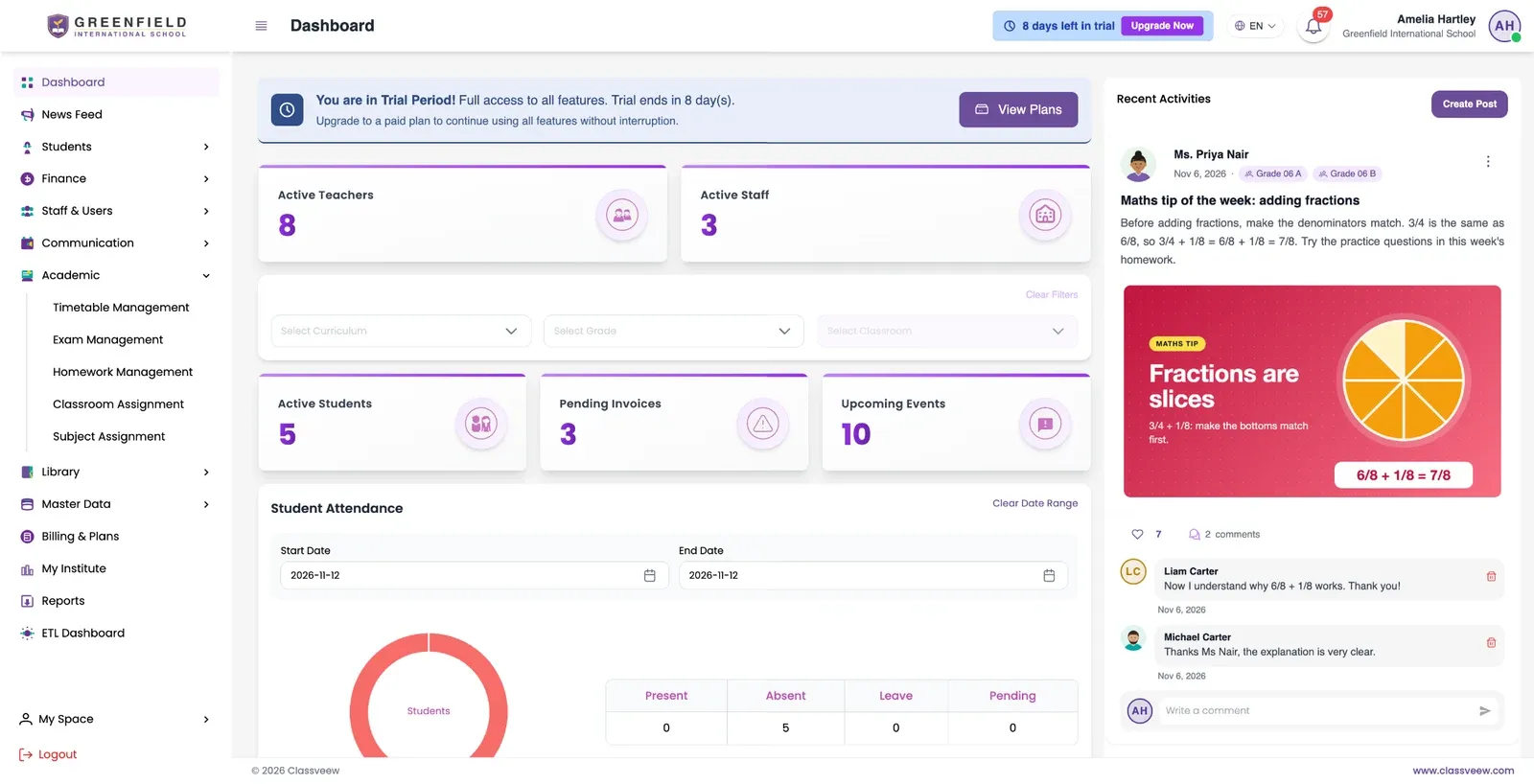
If that fits your school, see Classveew for schools in Sri Lanka or book a free demo below.
Your next steps
- Write down your must-haves using the features checklist.
- Pick three suppliers and ask each for a written quote in rupees.
- Run the demo tests above, with a teacher and a parent in the room.
- Fill in the scorecard.
- Try the top one free with one grade, for at least a week.
- Plan the switch for the start of a term.