In short: WhatsApp groups and Excel are free, familiar and fine for a very small school. As a school grows, they start to cost real money and real trust: phone numbers exposed to strangers, notices lost in the chat, fees chased by hand, and records on personal phones. A school management system does the same jobs in one place, with a record the school owns.
Walk into almost any private school or preschool in Sri Lanka, South Asia, the Middle East or Africa and you will find the same setup. One WhatsApp group per class, maybe two. A fee book or a fee spreadsheet in the office. An attendance register on paper, typed into Excel at the end of the month. Report cards typed in Word.
It works, until it doesn’t. This article is honest about both sides: what WhatsApp and Excel do well, where they break, what that costs, and how to move to something better without upsetting parents and teachers.
Why schools use WhatsApp and Excel in the first place
There are good reasons:
- They are free. Nothing to buy.
- Everyone already has them. No training, no new app for parents.
- They are fast. A message reaches the whole class in seconds.
- They are flexible. A spreadsheet can track anything.
For a school with 50 students and three teachers, that may be all you need. The trouble starts with growth: more classes, more staff, more parents, more money moving.
The problems with school WhatsApp groups
1. Everyone’s phone number is visible
In a WhatsApp group, every member can see every other member’s number. A class group of 35 families shares 35 or more phone numbers with people who are, to each other, strangers. Parents get unwanted calls, sales messages and sometimes worse. Teachers’ personal numbers are shared with every parent.
2. Important notices get buried
A notice about Friday’s sports meet sits between “good morning” stickers, lost-water-bottle photos and a long argument about homework. Parents who don’t scroll back miss it, and then call the office.
3. Nobody knows who has read what
Did every parent see the trip notice? Who agreed to the trip and who didn’t? WhatsApp can’t tell you. Staff end up counting thumbs-up replies, or sending paper slips home anyway.
4. Teachers are reachable at all hours
Parents message teachers at night and on weekends, on the teacher’s personal phone. Teachers feel they must reply. Burnout follows.
5. The school has no record
When a teacher leaves, the group and its history leave with their phone. If there’s a complaint, the school has nothing official to look back at. If a phone is lost, so is the information.
6. One wrong message reaches everyone
A message meant for one parent, posted in the group by mistake, can’t be fully taken back from 35 phones.
The problems with running a school on Excel
1. Many versions of the truth
The fee spreadsheet on the accountant’s computer, the copy someone emailed to the principal and the printed list in the office all say different things. Which balance is right?
2. One person holds the keys
Often only one person understands the spreadsheet. When they’re away, nobody can answer a parent’s question about fees.
3. Errors are easy and hard to find
A wrong formula, a sorted column that didn’t take the other columns with it, a typo in a total. Mistakes in fee sheets cost money and arguments.
4. Parents can’t see anything
A spreadsheet can’t send a receipt, an absence alert or a fee reminder. Every question means a call to the office.
5. No history, no safety
Who changed this balance, and when? Excel can’t say. And student records with medical details in a file on a desktop computer, or emailed around, are a real data protection risk.
What it really costs
None of this shows on an invoice, so it’s easy to think WhatsApp and Excel cost nothing. Try putting a number on:
- Office hours spent answering calls about dates, fees and homework that parents couldn’t find.
- Fees collected late or never, because nobody had time to follow up every overdue balance.
- Teacher hours typing attendance and marks into spreadsheets and report cards.
- Parent trust lost when a notice was missed or a number was misused.
- Risk: a lost phone or laptop with student information on it.
Our price guide has a simple worksheet to estimate the staff time.
Side by side: who does what
| Job | WhatsApp + Excel | A school management system |
|---|---|---|
| Tell parents about an event | Message in the group, hope they see it | Event in the app with a notification; replies tracked |
| Permission slip | Paper slip or thumbs-up count | Parents accept or decline in the app before a deadline; reminders to those who haven’t |
| Daily attendance | Paper register, typed up later | Phone register; absence alert to parents automatically |
| Fee invoice | Written in a book or typed | Created for a whole class in one step, emailed with the PDF |
| Fee reminder | Office calls each family | Automatic reminders before and after the due date |
| Part payment | Balance worked out by hand | Balance updated with every payment, receipt in the app |
| Homework | Photo of the whiteboard in the group | Homework in the app; parents hand in photos of the work |
| Report card | Marks typed into Word | Report card PDF made from marks entered once |
| Teacher–parent message | Personal numbers, any hour | Private chat in the app, without sharing phone numbers |
| Records | Spread over phones and files | One record the school owns, with permissions |
When WhatsApp and Excel are still enough
Be honest with yourself. You may not need a system yet if:
- you have fewer than about 50 students and one or two classes,
- one person handles fees and knows every family,
- parents rarely miss notices, and
- nobody has complained about phone numbers being shared.
Once any of these stops being true, the cost of staying is usually higher than the cost of moving.
How to move without upsetting anyone
Moving a school off WhatsApp and Excel is mostly about people, not software. Here is a plan that works.
Step 1: Clean your student list
Put every current student in one spreadsheet with their class, admission number and their parents’ names, phone numbers and email addresses. Fix duplicates and missing emails now. Parents need an email address to sign in.
Step 2: Set up the school
Create your curriculum, grades, classrooms and subjects. In Classveew, Quick Setup creates them from a template (Local Syllabus, Cambridge, Edexcel or American), and you change what you need.
Step 3: Import from Excel
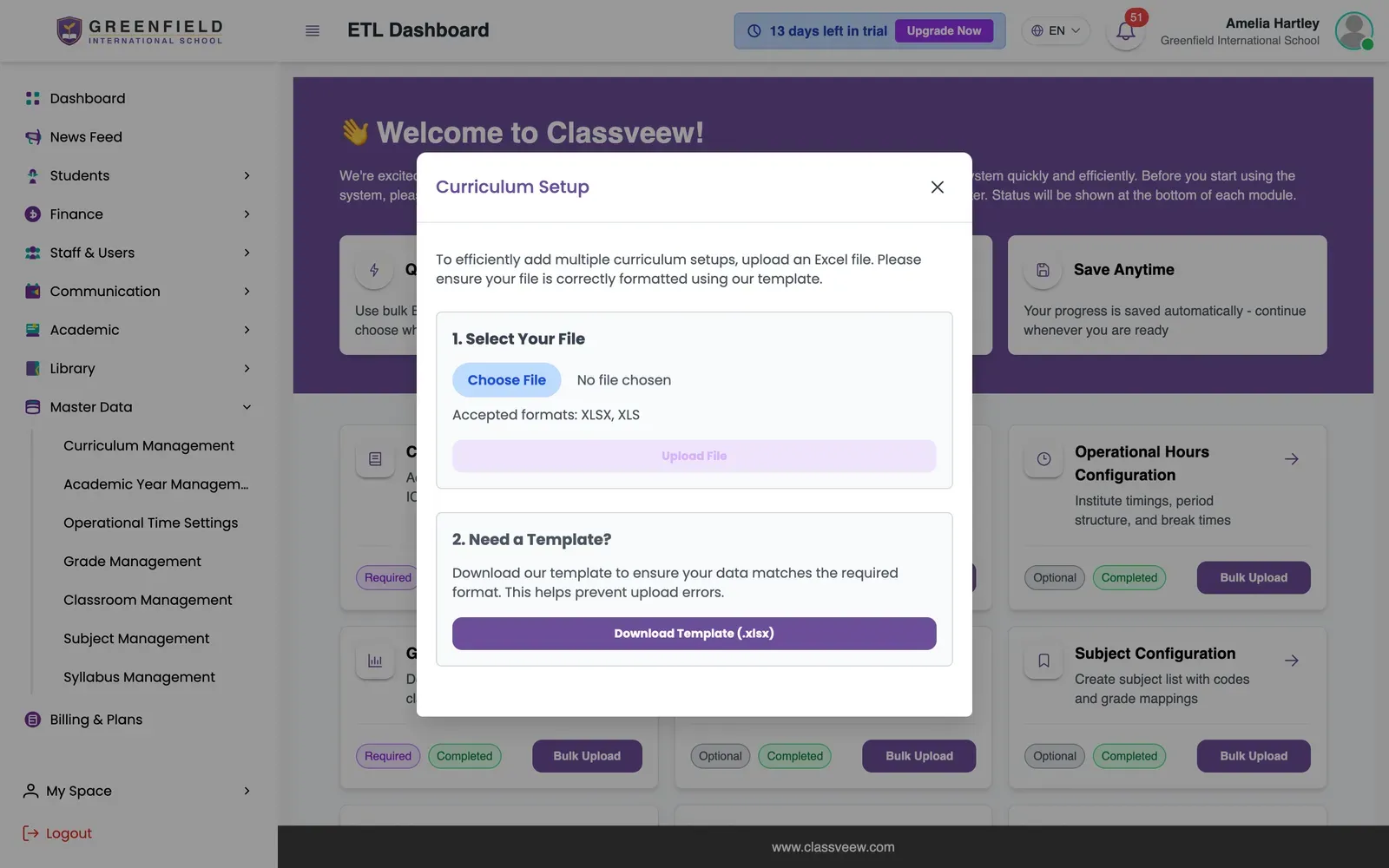
Download the system’s student template, paste your clean list in, and upload it. In Classveew you can add up to 500 students per file, with a parent for each student in the same row, and you get an error report for any row that failed, with the reason.
Step 4: Start with teachers and one daily habit
Train teachers on attendance first. It’s the one thing they do every morning, and it gives parents a reason to open the app: the check-in notification.
Step 5: Invite parents, with a date
Tell parents in the WhatsApp group: “From 1st of next month, all school notices, homework and fee reminders will be in the Classveew app. You’ll get an email with your sign-in details today.” Then send the invitations.
Step 6: Move one job at a time
Week one: attendance and messages. Week two: news and events. Week three: fee invoices. Each week, post the same notice in the app first and point to it from WhatsApp, not the other way round.
Step 7: Close the groups, or make them read-only
Once most parents are in the app, set the WhatsApp groups so only admins can post, and pin a message pointing to the app. Some schools keep them for informal chat between parents; official school information lives only in the app.
How Classveew replaces the WhatsApp group
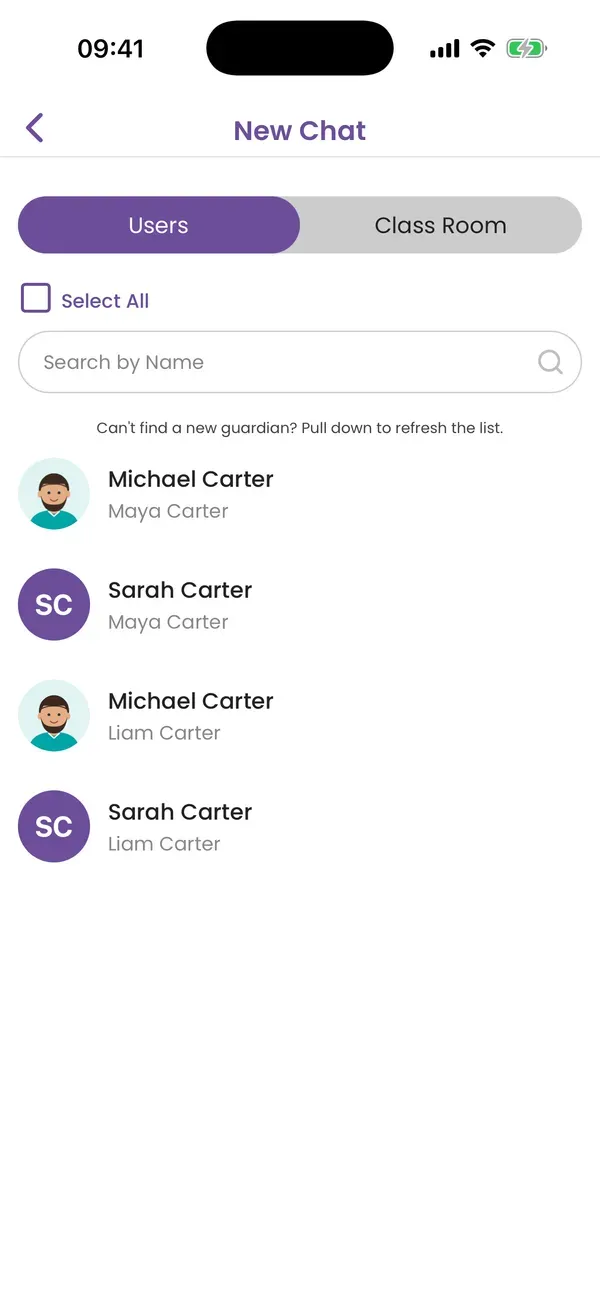
- Private messages and class groups. A teacher messages one parent, several parents at once (each gets a private thread) or the class group. Group chats show names and profile photos, never phone numbers or email addresses. Teachers can only message the parents of students in their own classes.
- A news feed for photos and notices. Posts go to the whole school or chosen classrooms, with photos, a PDF or a video. Parents get a notification, and comments can be switched off.
- Events with replies. Announcements, surveys, meetings and paid events. Parents accept or decline before a deadline, and staff send reminders to those who haven’t answered.
- Notifications parents don’t miss. Check-ins, absences, late arrivals, homework, exam results, fee reminders, events and messages, all kept in the app’s notification list.
- A record the school owns. Messages are kept for the school’s records, and every screen is tied to a role and permission.
How Classveew replaces the Excel sheets
- Fees: templates, class invoices, part payments, late fees, automatic reminders and card payment in the app. See School fee management.
- Attendance: a phone register with automatic absence at your cut-off time. See Student attendance management.
- Marks and report cards: marks entered once, report card PDFs to parents.
- Reports: student, teacher, attendance and finance exports to CSV, when you still want a spreadsheet.
Ready to see it with your own classes? Book a free demo below, or read what a school management system is first.