In short: most school management systems in Sri Lanka are priced per student, monthly or yearly. The subscription is only part of the cost: setup, data import, training, SMS, payment fees and hardware can add a lot. Get every quote in rupees, for the same modules and the same number of students, and ask what is not included.
Every school owner who looks at a school management system asks the same first question: how much will this cost us? The honest answer is that it depends on how the supplier charges, how many students you have, which parts of the system you need and what is hidden outside the headline price.
This guide explains how pricing works in Sri Lanka, what you are really paying for, the costs that are easy to miss, and how to compare quotes fairly. At the end we explain how Classveew is priced, so you can compare us on the same terms.
How school management systems are priced
Suppliers in Sri Lanka use one of five pricing models. Knowing which one a quote uses is the first step to comparing it with another.
| Pricing model | How it works | Good for | Watch out for |
|---|---|---|---|
| Per student, per month | A rate for each student, billed every month | Schools that want to spread the cost and pay only for current students | How the student count is taken, and whether leavers are still counted |
| Per student, per year | The same rate idea, paid once a year | Schools that budget yearly and want a lower total | Paying for a full year before you know the system well |
| Fixed yearly licence | One price for the school, whatever its size | Very large schools | Paying for capacity you don’t use; price bands that jump at a set number of students |
| One-time purchase | You buy the software once and run it on your own computer or server | Schools with their own IT staff | Yearly maintenance fees, upgrades, backups and the server are all yours |
| Free or open-source | No licence fee | Schools with technical staff and time | Hosting, setup, support and changes are paid for some other way, often by you |
Per-student pricing, monthly or yearly, is the most common model for cloud systems, the ones you use in a browser and on phones without installing anything on a school server. It is also how Classveew is priced.
What decides the price
Two schools can get very different quotes from the same supplier. These are the things that move the number:
- Number of students. With per-student pricing, this is the biggest factor. A school of 300 pays a fraction of what a school of 2,000 pays.
- Which modules you need. Attendance, parent communication and the parent app are usually the base. Exams, report cards, homework, timetables, fees and finance, library and reports are often in higher plans.
- How many curricula you run. An international school that teaches the local syllabus alongside Cambridge or Edexcel needs a system that handles more than one curriculum, each with its own grades, terms and subjects.
- Apps for parents and teachers. A real app on iPhone and Android costs the supplier more to build and run than a website. Check that it is included, not an add-on.
- Support level. Phone and WhatsApp support, onboarding help and training sessions may be priced by plan.
- Custom work. Reports or features built only for your school are usually quoted separately, and can cost more than the subscription.
The costs that are easy to miss
The subscription is the number on the quote. These are the costs that often come later. Ask about each one before you sign.
| Cost | What to ask |
|---|---|
| Setup or onboarding fee | Is there a one-time fee to set up our school? What does it cover? |
| Data import | Who moves our students, parents, staff and fee balances into the system? Can we do it ourselves from Excel, and is that free? |
| Training | How many training sessions are included, for office staff and teachers? Online or at the school? |
| SMS | Does the system send SMS? If so, who pays for each message, and how much? |
| Card payment fees | When parents pay fees by card, who pays the bank’s processing fee: the school, the parent or the supplier? |
| Hardware | Do we need fingerprint readers, card readers or printers for attendance or ID cards? |
| Custom reports | If we need a report the system doesn’t have, what does it cost? |
| Price at renewal | Is the price fixed for the first year only? How much did it rise last year? |
| Leaving | If we stop, can we export all our data, in what format, and is there a charge? |
A system that looks cheaper on the quote can cost more over two years once these are added. Write the answers into your comparison table (there is one further down).
The cost of not having a system
It is also worth putting a number on what your school spends today without one. Most of it is staff time, which doesn’t show up on an invoice.
Here is a simple way to estimate it. The numbers below are an example only; replace them with your own school’s.
| Job done by hand | Hours a month (example) |
|---|---|
| Writing fee receipts, updating the fee book and chasing unpaid fees | 40 |
| Copying the attendance register into a spreadsheet and calling parents about absences | 20 |
| Typing marks into report cards and checking totals | 25 (in exam months) |
| Answering parents’ calls and messages about homework, dates and fees | 30 |
| Updating class lists, timetables and contact details | 10 |
Multiply the hours by what that time costs the school. Then add what you lose to fees that are paid late or never collected, because nobody had time to follow up. For many schools, the time saved and the fees collected on time cover the subscription.
How to compare quotes in rupees
Ask each supplier for a written quote and fill in a table like this. Use the same number of students and the same list of modules for every supplier, or the totals mean nothing.
| Supplier A | Supplier B | Supplier C | |
|---|---|---|---|
| Pricing model (per student / fixed / one-time) | |||
| Price per student, per month (Rs) | |||
| Students counted | |||
| Subscription for year 1 (Rs) | |||
| Setup, data import and training (Rs) | |||
| SMS, card fees and hardware (estimate, Rs) | |||
| Total, year 1 (Rs) | |||
| Subscription for year 2 (Rs) | |||
| Total over 2 years (Rs) | |||
| Modules included | |||
| Parent app on iPhone and Android? | |||
| Free trial on our own data? |
Compare the two-year total, not the first invoice. The first year often looks cheap because of a discount, and the second year is what you will pay for as long as you stay.
Questions to ask Sri Lankan suppliers
Beyond price, these questions decide whether the system fits a school in Sri Lanka:
- Billing in rupees: Is our subscription billed in rupees? Can parents pay fees by card in rupees?
- Counter payments: Can the office record cash and cheque payments, including part payments, and print a receipt?
- Local syllabus: Can we set up Grades 1 to 13, kindergarten, a January to December school year and three terms, without building everything by hand?
- International curricula: If we also teach Cambridge or Edexcel, can both run side by side?
- Languages: Which languages are the screens in, for staff and for parents? Can we write class names, subjects and posts in Sinhala or Tamil?
- Data: Where is our data stored, and how is it protected? Sri Lanka’s Personal Data Protection Act (No. 9 of 2022) makes this a fair question for any supplier.
- Support: Who do we call when something goes wrong, at what hours, and is there WhatsApp support?
- Trial: Can we try it free with our own classes before we pay?
Per-student pricing: the honest pros and cons
What works well
- You pay for the students you have now, not for an estimate of the future.
- A small school can afford the same system as a large one.
- If enrolment drops, the bill drops with it.
What to check
- How the student count is taken. Some systems count every student ever added, including those who have left.
- What happens mid-year when new students join.
- Whether the rate changes with the number of students, and where the bands are.
How Classveew is priced
Classveew is a school management system built in Sri Lanka. Here is exactly how our pricing works, so you can put us in the table above.
- Three plans: Basic, Standard and Premium. Every plan covers the daily essentials, such as attendance, parent communication, the news feed and the parent app. Higher plans add academic modules such as exams, report cards and homework, and a higher level of support.
- Priced per active student. Your bill is the plan’s price per student multiplied by the number of active students when the invoice is raised. Students who have left, graduated or are inactive aren’t counted. There’s no fixed student limit: new students are included in the next invoice.
- Monthly or annual billing. You choose. Talk to our sales team about discounts.
- Billed in rupees. Sri Lankan schools are billed in LKR, and parents pay their fee invoices by card in the Classveew app, in rupees.
- 14-day free trial. Every school gets 14 days with every feature switched on. The trial starts once your school is approved and set up, not when you register, so you don’t lose days waiting.
- Change plan when you need to. Upgrade at any time. A downgrade takes effect at the end of your current billing period. If you cancel, your plan stays active until the end of the period and your data is kept.
What is included at no extra cost: a guided Quick Setup with a ready-made local syllabus template (two kindergarten years, Grades 1 to 13, a January to December year and three terms), Cambridge, Edexcel and American templates, Excel templates to import your students, parents and staff, and our team’s help through onboarding.
What Classveew does not do today, so you don’t pay for it by mistake: Classveew doesn’t send SMS (parents get app notifications and email instead), and the screens are in English and Arabic, not yet in Sinhala or Tamil. Your school can still write class names, subjects and posts in Sinhala or Tamil.
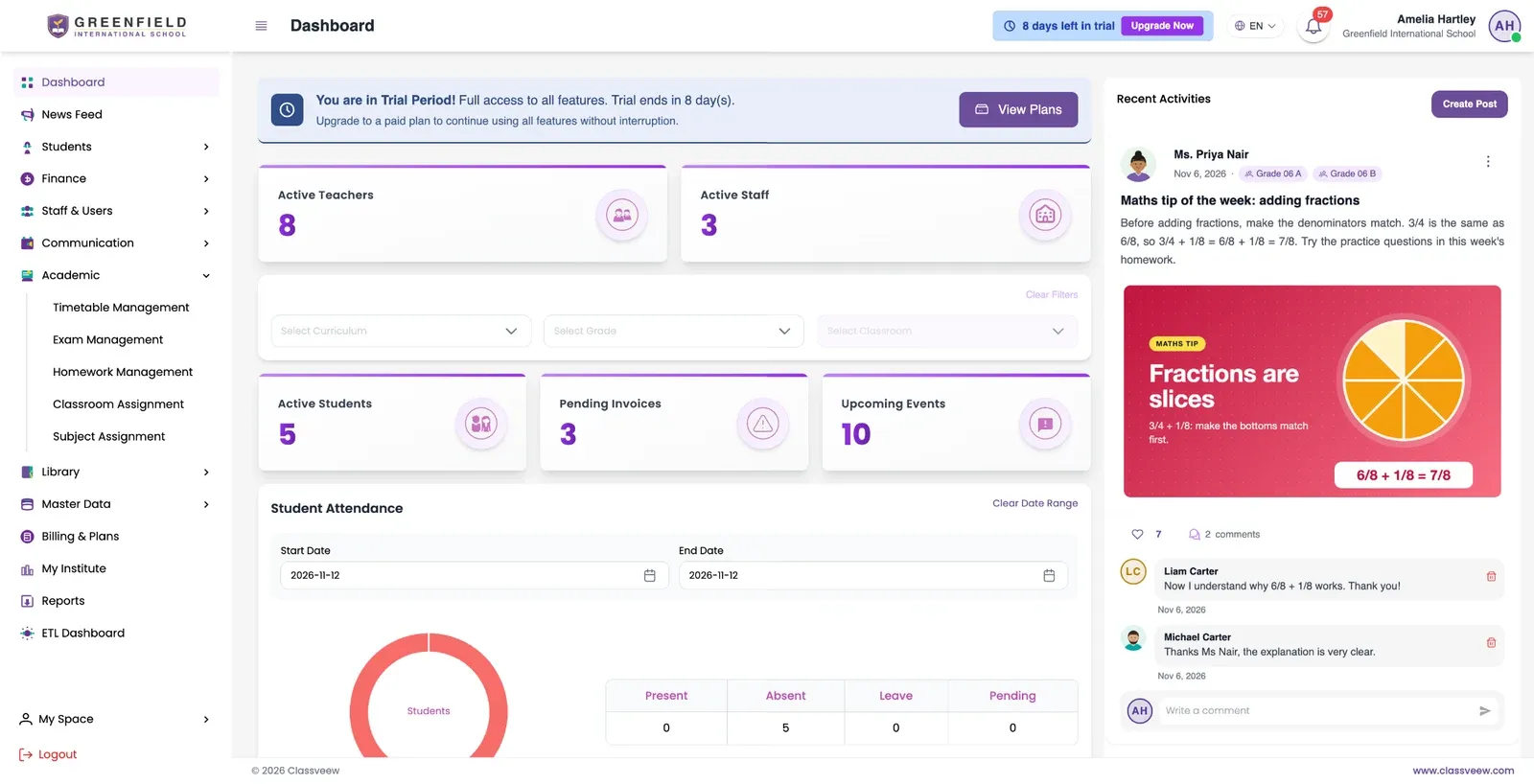
For a quote, tell us your number of students and the modules you need on our pricing page, or see Classveew for schools in Sri Lanka. To see how billing works inside the system, read Plans and per-student billing.
A simple budget plan for your first year
- Count your active students and decide which modules you need now. You can add more later.
- Collect three written quotes and fill in the comparison table.
- Ask for a free trial and set up one grade or one class with real data.
- Plan the start date. The start of a school year or a new term is the easiest time to switch, because classes and fees start fresh.
- Budget for people, not only software. Give office staff and teachers time to learn the system in the first month.
- Review after one term. Check the fees collected, the calls saved and whether the plan still fits.