Messages, news feed and notifications

Read and reply to teachers’ messages

Read messages from your child’s teachers in the Messages tab of the Classveew app, and reply in the conversation.

  • For parents
  • Classveew app
  • Updated 6 November 2026

Steps

  1. Tap Messages at the bottom of the app. New messages show a number next to the conversation.
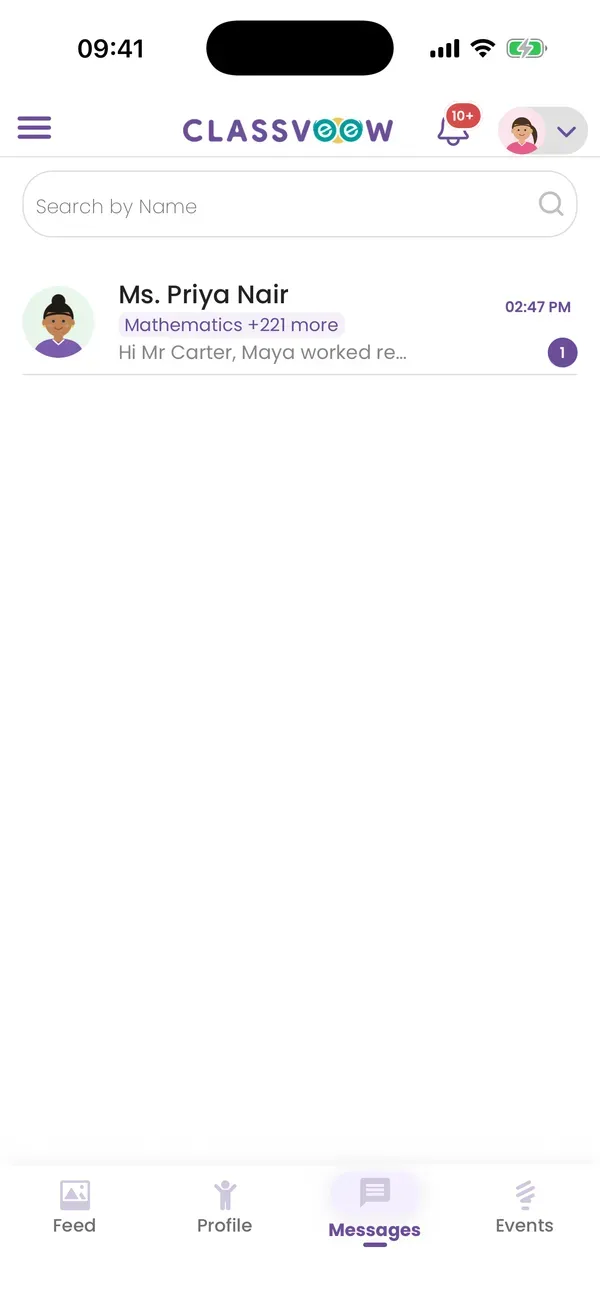
    Messages from teachers

  2. Tap a conversation to read it.

  3. To reply, type in the Type a message box and tap send.
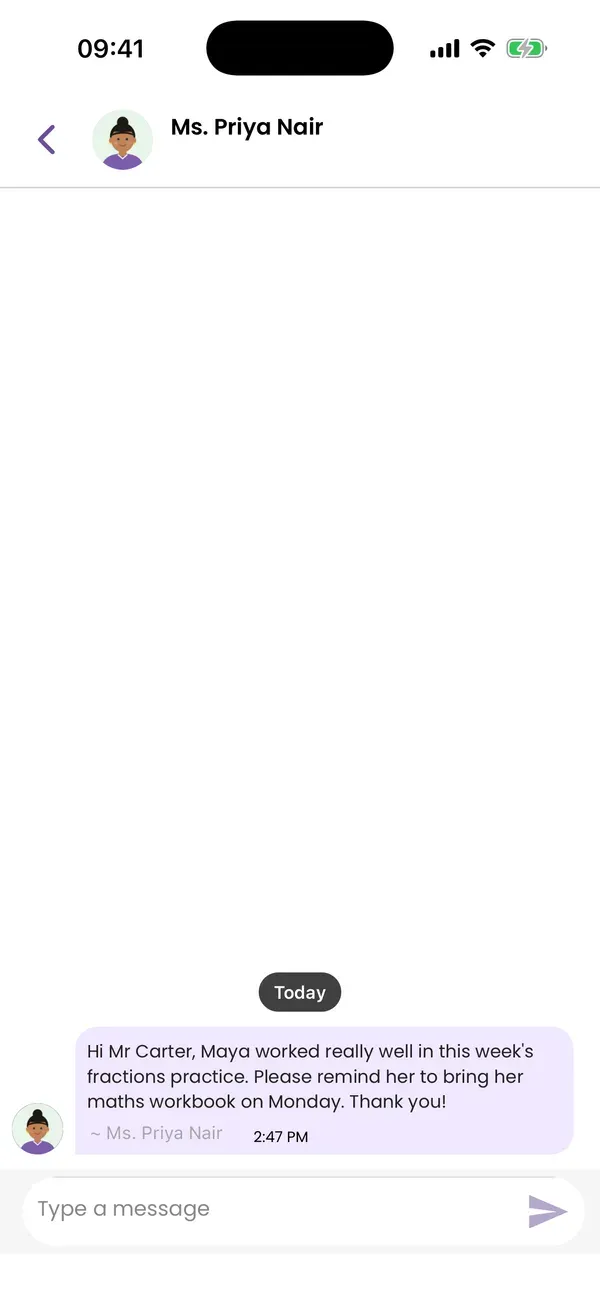
A message from the class teacher

Notifications

Tap the bell at the top of the app to see all your notifications: messages, check-ins, events and more. Tap one to open it.

More in Messages, news feed and notifications

Still need help? Our support team is happy to help. All guides Contact support