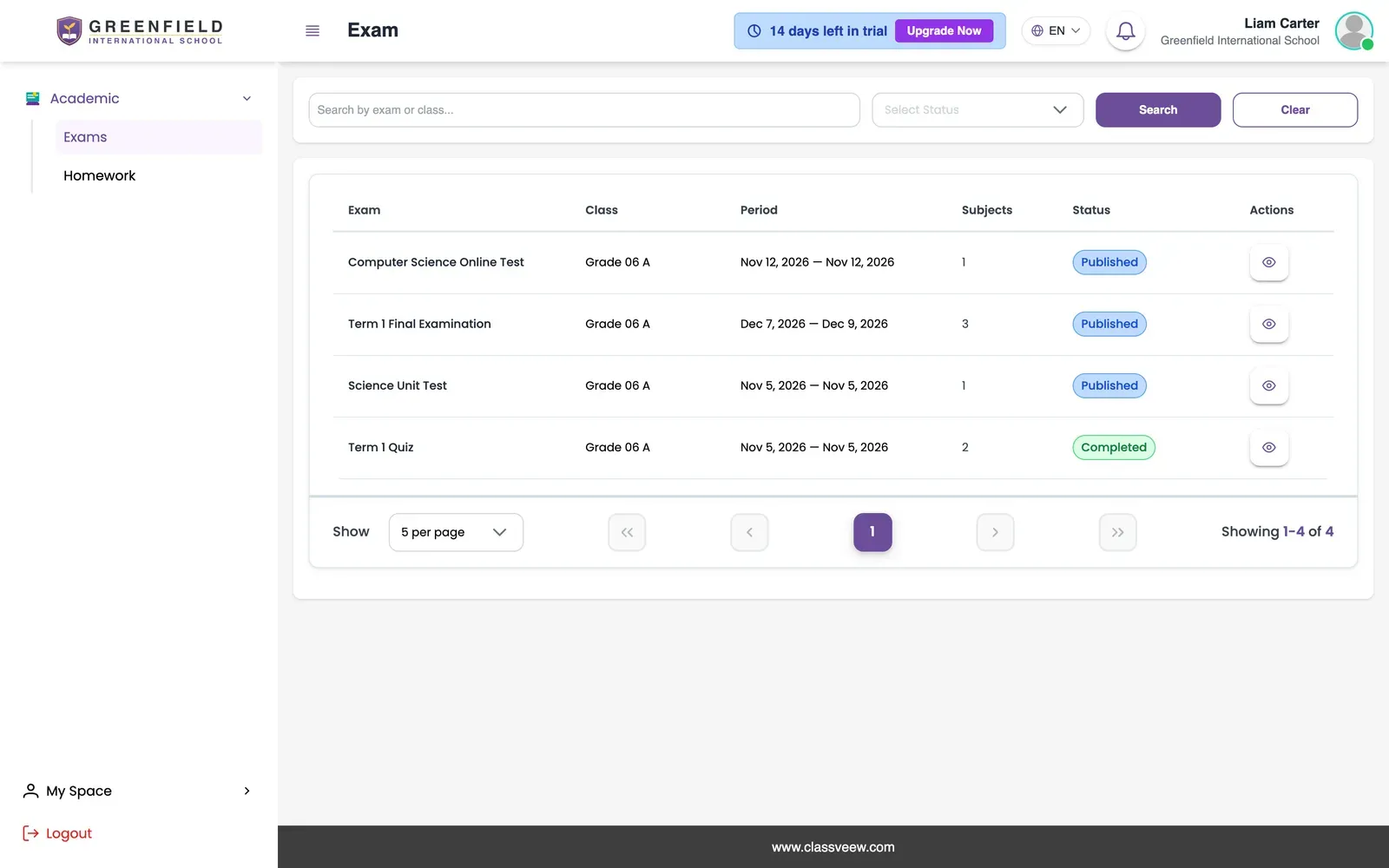
Students use the web portal to see their homework and exams.
Sign in
- Go to app.classveew.com.
- Enter your email or ClassVeew ID and your password, then select Sign In.
Your school gives you these details.
Homework
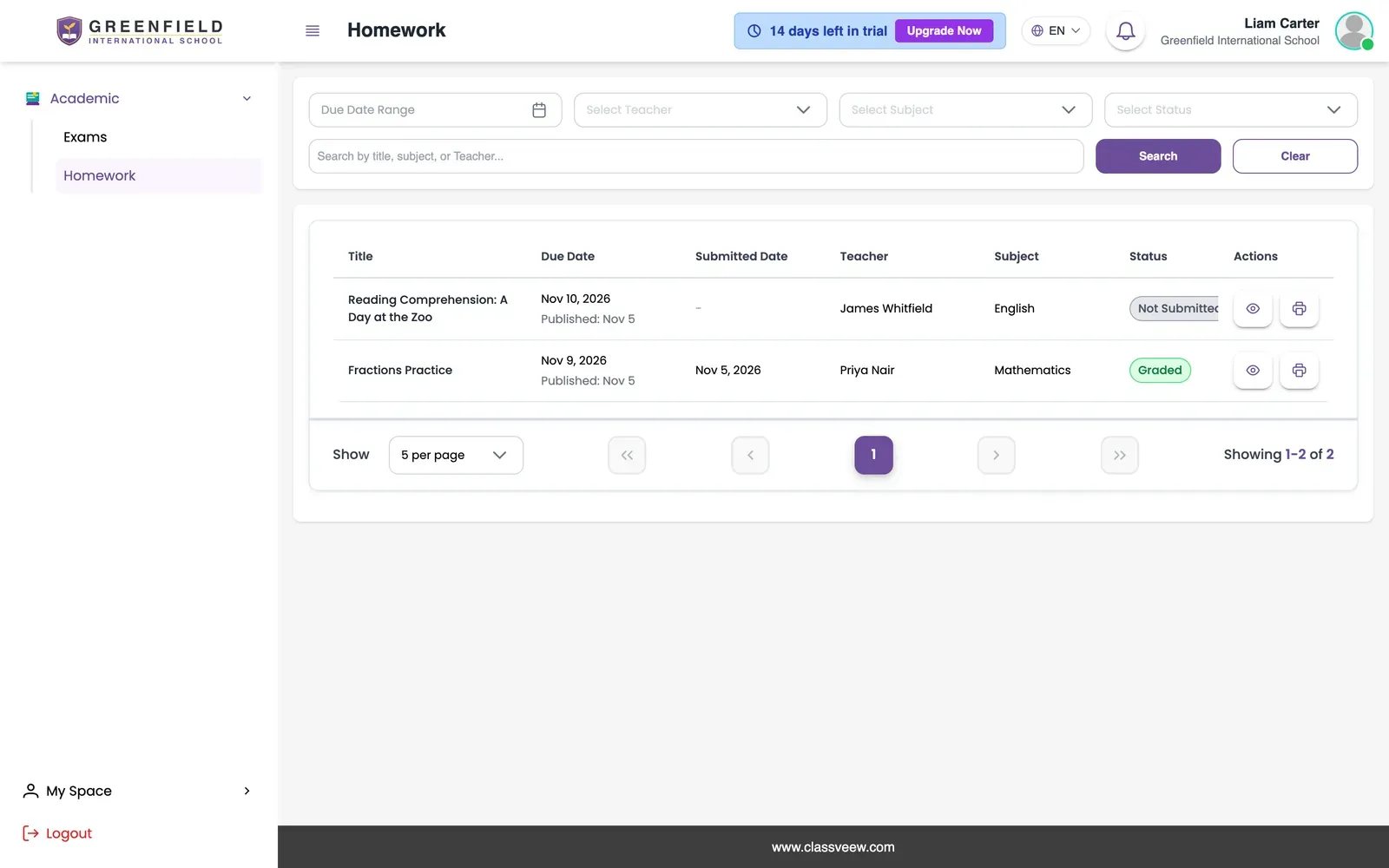
Open Academic → Homework to see your homework, with the teacher, subject, due date and status, such as Not Submitted or Graded.
Exams
Open Academic → Exams to see your exams, their dates and status.