To start using Classveew, you register your school on the web portal. Registration has three parts: a short sign-up form, a few pages of school details, and a review by the Classveew team. Once your school is approved, you get your sign-in details by email.
1. Fill in the sign-up form
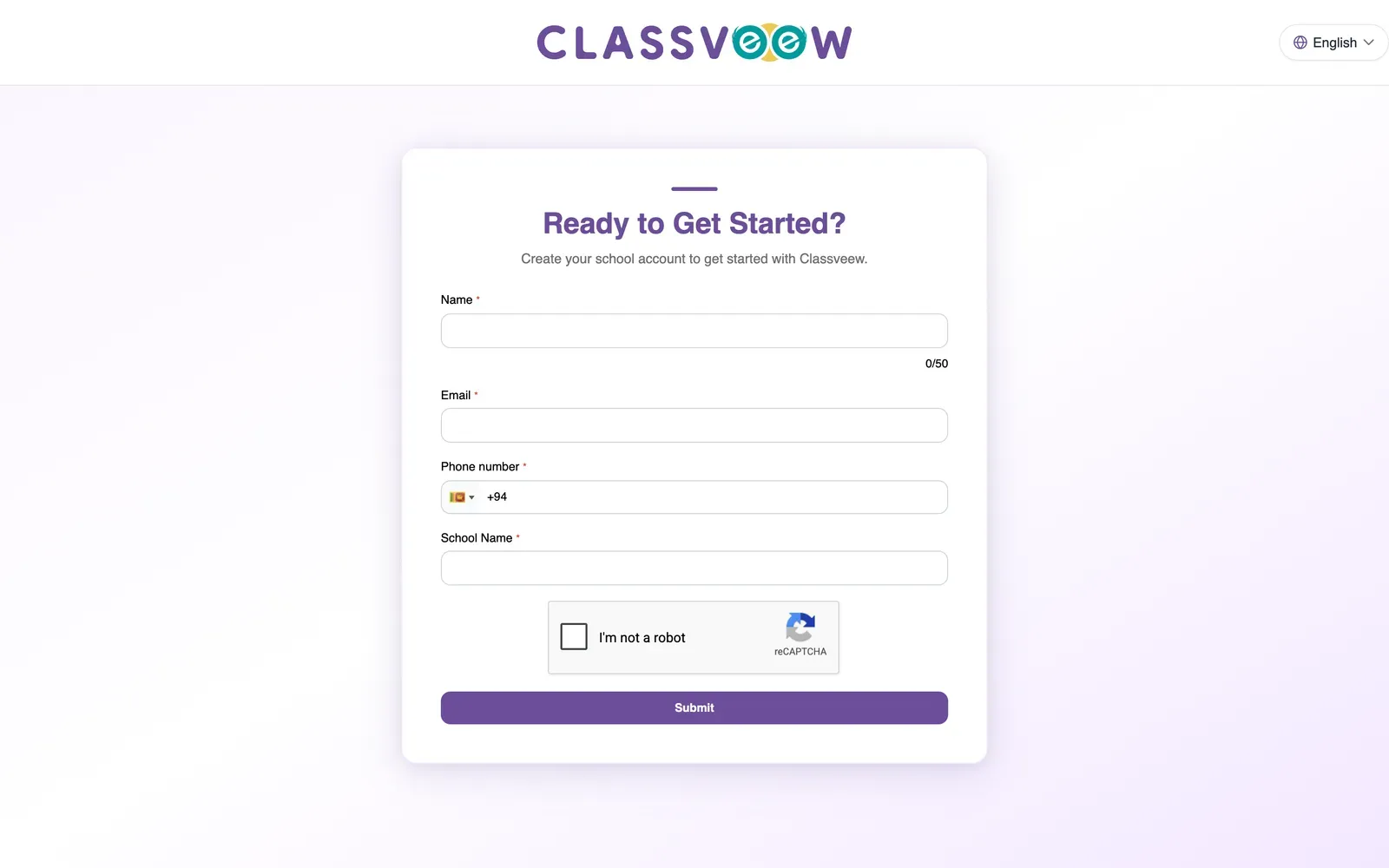
- Go to app.classveew.com/register.
- Enter your Name, Email, Phone number and School Name.
- Tick I’m not a robot, then select Submit.
A Verify Your Email message appears. We send a verification link to the email address you entered.
Good to know: your name and the school name can only contain letters and spaces.
2. Verify your email and add your school details
Open the email and select the link. It takes you to a short setup wizard:
- Basic Information — your institute name, contact email and phone number, institute type, number of students, billing currency, timezone, learning setting (Physical, Online or Hybrid), and your physical and mailing addresses. You can also add a Primary Logo and a Secondary Logo. Select Next.
- Administration Details — the name, title, email and contact number of the person who will run Classveew for your school. Select Next.
- Review & Complete Registration — check everything. You can also add a second admin under Secondary Contact Details. Select Complete Registration, then Yes, Complete.
You see Application Submitted for Review. The Classveew team reviews your details, and you get an email about your status within 2–3 business days.
3. Sign in for the first time
When your school is approved, each admin you entered gets an email with a temporary password.
- Go to app.classveew.com and sign in with your email and that password.
- Choose a new password when asked.
- You land on the ETL Dashboard, where you set up your school. See Set up your school with the ETL Dashboard.
Good to know: your free trial starts when you finish the school setup, not when you register. See Your free trial.