Mark your class register from the Attendance tab of the teacher app. Parents get a notification as soon as their child is checked in.
Steps
-
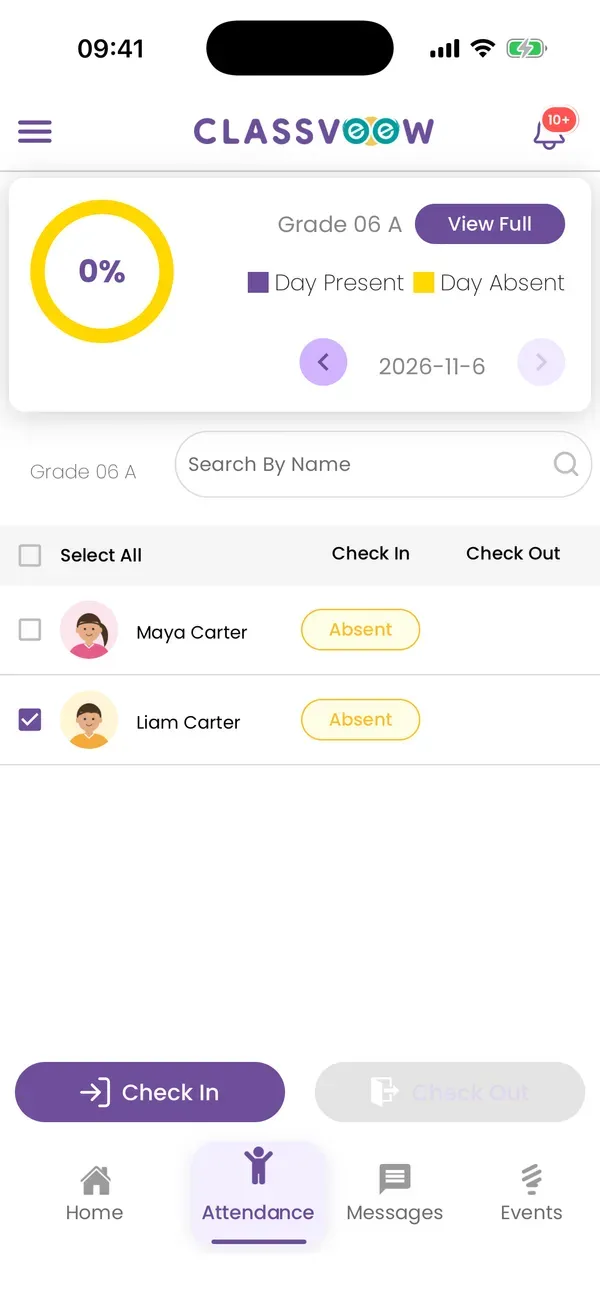
Tap Attendance at the bottom of the app. You see your class, today’s date and the share of students present.
-
Tick the students who have arrived, or tick Select All.
-
Tap Check In.
-
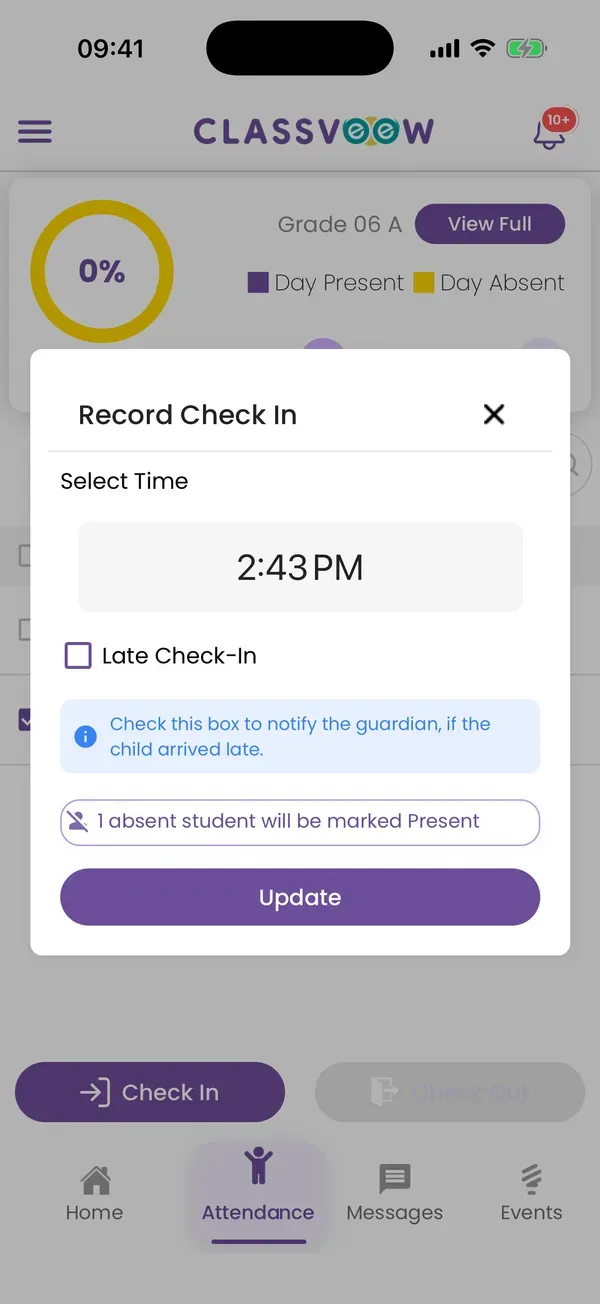
Check the time. If a student arrived late, tick Late Check-In so their parents are told.
-
Tap Update.
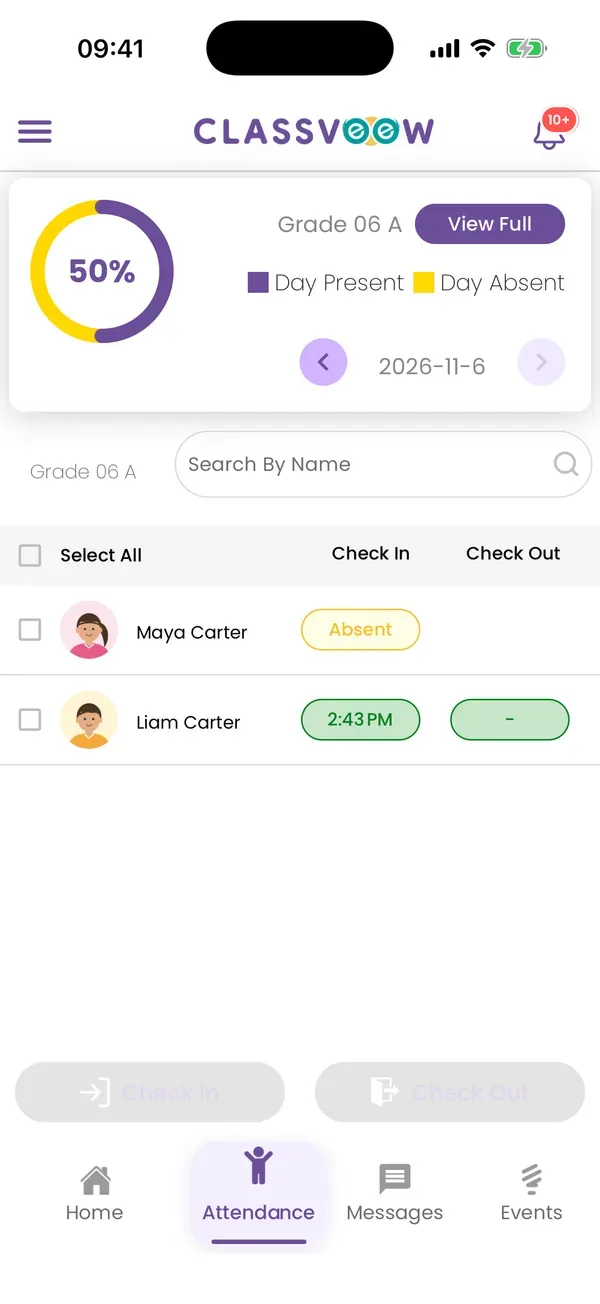
The register now shows the check-in time next to each student.
Checking students out
At the end of the day, tick the students who are leaving and tap Check Out in the same way.
Good to know: students who aren’t checked in by your school’s cut-off time are marked absent automatically, and their parents are told. Use the arrows next to the date to look at another day.