Attendance Tracking on the web portal shows the register for a classroom on any date.
Steps
- Open Students → Attendance Tracking.
- Choose the dates and the classroom at the top.
- The counters show how many students are pending, absent, checked in, checked out and on leave.
- Filter the list by status, or search for a student by name.
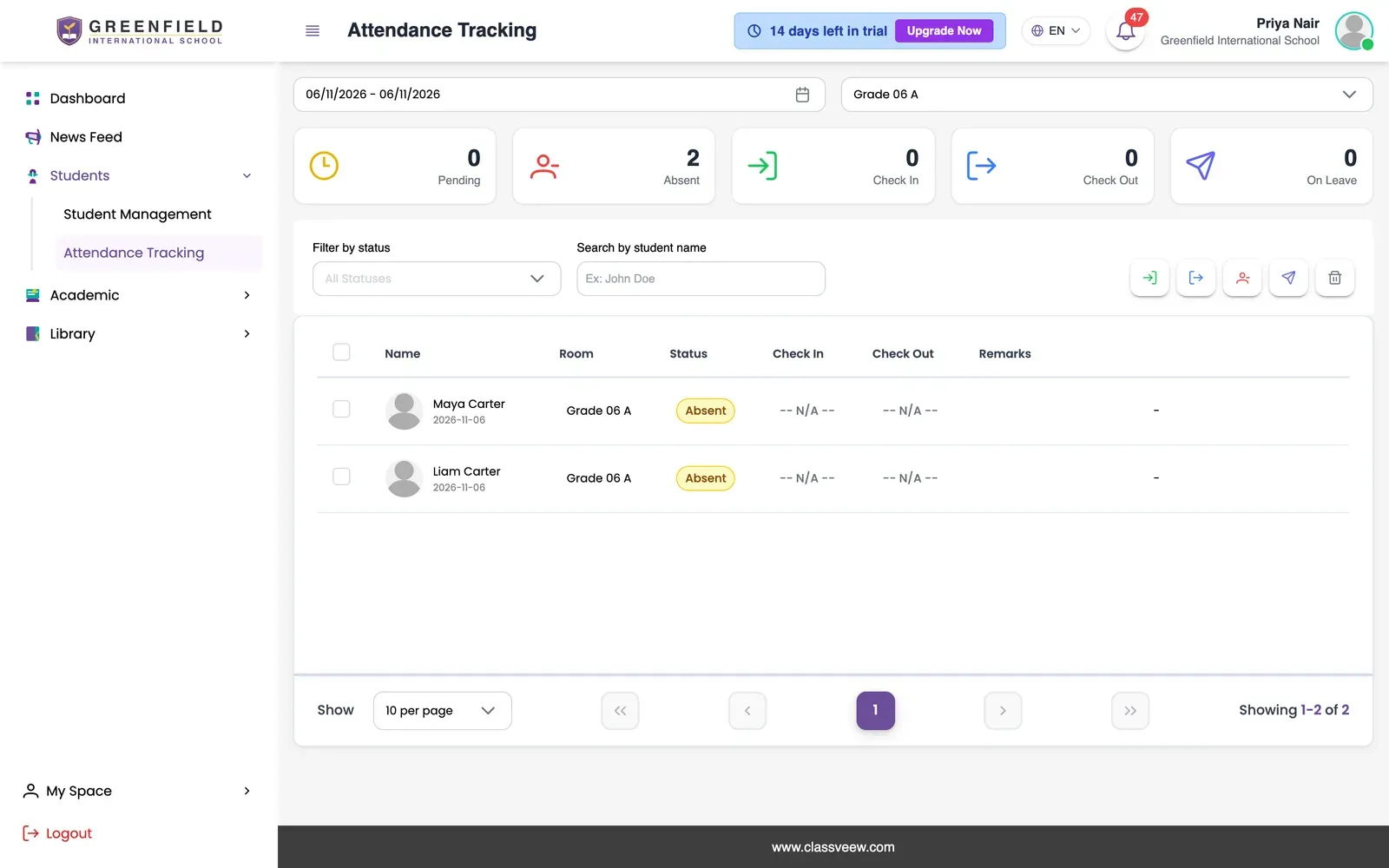
Each row shows the student’s status, check-in and check-out times and any remarks.