Invoice Management lists every invoice, with totals for what’s been billed, paid and still pending.
Start a payment session
Before you take payments at the office, start a payment session:
- Open Finance → Invoice Management.
- Select Start Session and enter the opening cash balance.
While the session is open, a banner shows when it started and its opening balance. Select End Session when you finish. Past sessions are listed under Finance → Cashier Sessions.
Find invoices
Filter by date, curriculum, grade, classroom and status, or search by student, template name or admission number. The totals at the top update with your filters.
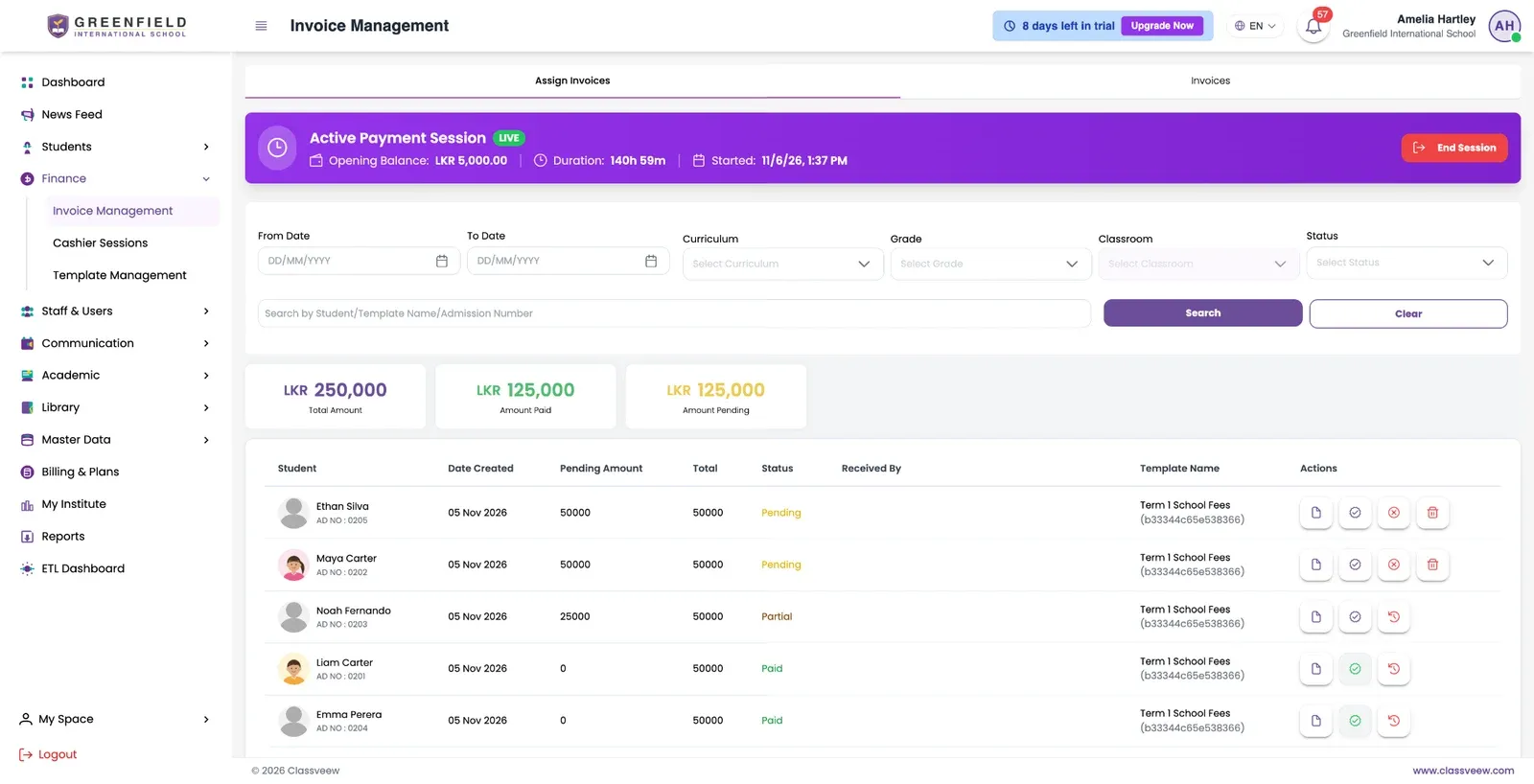
Each row shows the student, the pending amount, the total and the status (Pending, Partial or Paid). Use the action buttons on the row to work with that invoice, such as recording a payment.